
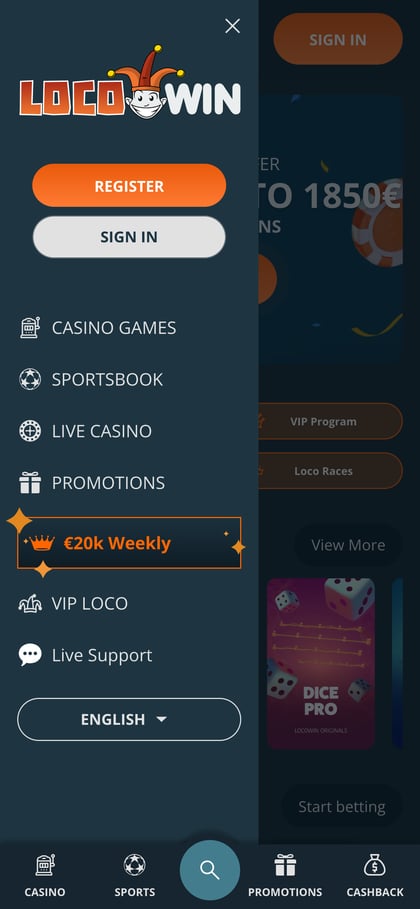
What the LocoWin App Is
The LocoWin app isn't downloaded: it's a shortcut that opens the mobile version of the site like any other app. You get the same username, balance, bonuses and history as on your computer, and if you delete the icon, your account stays intact.
| Option | Android | iPhone and iPad |
|---|---|---|
| Mobile site | Yes | Yes |
| Home screen shortcut | Yes, from Chrome | Yes, from Safari |
| APK file | No | Not applicable |
| App Store and Google Play | No | No |
| Price | Free | Free |
How to Install LocoWin on Android
On Android, you create the shortcut from Chrome. No file is downloaded, so there's no need to allow installs from unknown sources.
- Open the site in Chrome. The “Install the app” button takes you there, and it doesn't matter whether you're logged in.
- Tap the ⋮ menu. It's in the top right corner, next to the address bar.
- Choose “Add to Home screen”. If you don't see it straight away, scroll down the menu.
- Confirm with “Add”. Chrome suggests the name “Locowin”, which you can change.
- Open the casino from the icon. It sits alongside your other apps and takes you straight to the casino site.
Using Samsung Internet or another browser? Create the icon from Chrome, then carry on browsing with whichever you prefer.
How to Install LocoWin on iPhone and iPad
On iPhone, you create the shortcut from Safari through the share menu. On iPad the steps are the same, but the share button is usually at the top, to the right of the address bar.
- Open the site in Safari and tap “•••”. On recent versions of iOS, the button is in the bottom bar.
- Tap “Share”. If Safari shows the share icon directly (a square with an arrow), tap that instead.
- Choose “Add to Home Screen”. If it isn't there, scroll through the list of actions.
- Confirm with “Add”. Leave “Open as Web App” switched on if you see it: the site will then open without Safari's toolbar.
| Step | Android (Chrome) | iPhone (Safari) |
|---|---|---|
| Menu | ⋮, top right | “•••” at the bottom, then “Share” |
| Option | “Add to Home screen” | “Add to Home Screen” |
| Confirmation | “Add” | “Add” |
| Number of steps | 5 | 4 |
Play on your phone Free, no APK, from Chrome or Safari
Install the appWhat You Can Do in the App
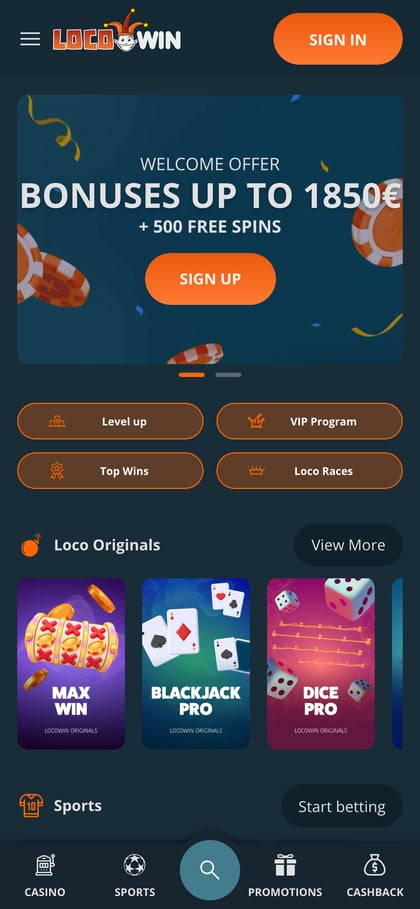
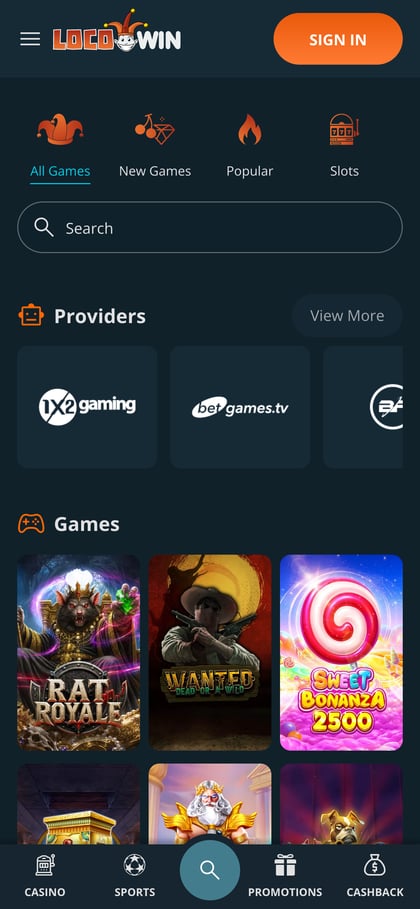
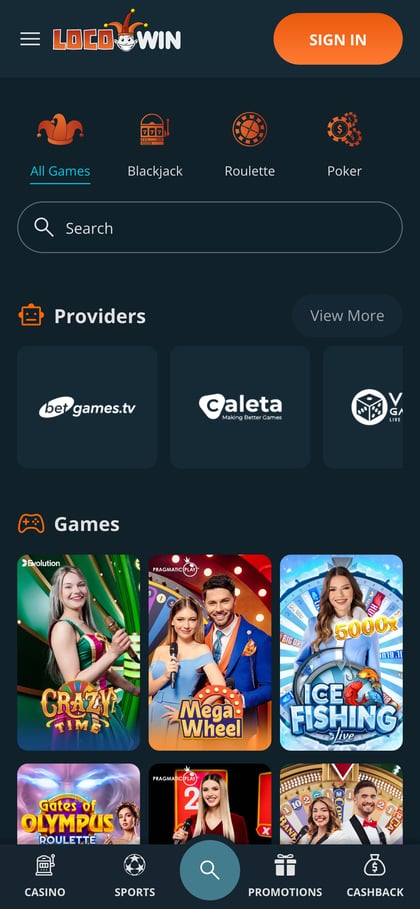
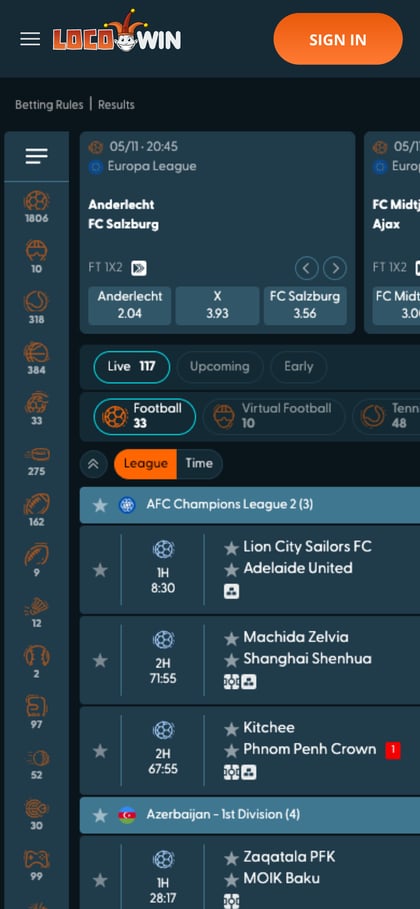
On your phone you get the full range of LocoWin casino games with the same balance, and LocoWin sports betting works just as it does on desktop. The fixed bottom menu has five sections:
| Section | What it includes |
|---|---|
| Casino | Slots, live tables and Loco Originals; Popular, New Games and High Volatility tabs |
| Sports | Pre-match and live, decimal odds, single, accumulator and system bets |
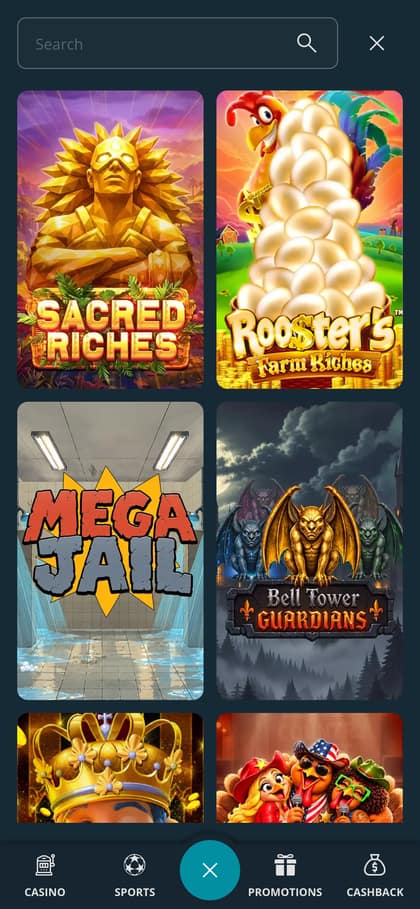
| Search | Find a game by name without scrolling through the lobby |
| Promotions | Current offers, including the Welcome Bonus and Crazy Cashback |
| Cashback | Your Crazy Cashback, every Monday with no wagering requirements |
The cashier (deposits, withdrawals and document uploads) and live chat work just as they do on desktop.
Requirements, Storage and Updates
Since nothing is installed, any phone with a working browser will do.
- Browser
- Up-to-date Chrome or Safari
- Connection
- Stable Wi-Fi or mobile data, especially for live games
- Storage
- Just the icon and the browser cache
- Updates
- Automatic: the icon always loads the current site
- Permissions
- None
- Turn on screen lock with a PIN, fingerprint or face unlock: while you're logged in, anyone who picks up your phone could get into your account.
- On a shared phone, don't save your password and log out when you finish.
- Clearing your browser cache doesn't affect your account; you'll just need to log in again.
Can You Download LocoWin as an APK?
No. The casino doesn't publish an APK and has no listing on the App Store or Google Play. A file presented as a “LocoWin APK” doesn't come from the casino.
| Criterion | Shortcut | Third-party APK |
|---|---|---|
| Source | Chrome or Safari menu | An unknown website |
| Download | None | An .apk file |
| Permissions | None | May ask for SMS, contacts and notifications |
| Login details | Entered on the casino's own site | May imitate the login screen |
| Updates | Automatic with the site | No security patches |
If a site asks you to download an .apk file or allow unknown sources, it isn't the casino's app. The same goes for any app using the LocoWin name on the App Store or Google Play.
Signing up and Claiming the Bonus on Mobile
On mobile, LocoWin sign-up uses the same form as on desktop, and you choose the LocoWin welcome bonus the same way, in the cashier when you deposit.
- Form button
- “Create Account”
- Casino bonus
- Up to €1,850 + 500 free spins
- Min. deposit for the bonus
- €20
- Where to choose it
- Cashier, “Select your bonus”
- Sports
- Free bet of up to €100
- Can they be combined?
- No: casino or sports
Create your account on mobile Up to €1,850 + 500 free spins
Sign upProblems with the App
Almost every glitch comes down to the browser, not your account.
| Problem | Fix |
|---|---|
| “Add to Home screen” doesn't appear | Open the site in Chrome or Safari, not in the built-in browser of a social media or messaging app |
| The icon opens with the address bar | That's normal on Android. On iPhone, create the icon again with “Open as Web App” switched on |
| You've been logged out | This happens after inactivity or when browser data is cleared: log in again with your username and password |
| The site is slow | Close some tabs, update your browser or switch from mobile data to Wi-Fi |
| You deleted the icon by mistake | Create it again with the same steps: your account, balance and bonuses don't change |
| The bonus doesn't show when you deposit | Deposit at least €20 and tick the offer before confirming the payment |
If you can't remember your password when you log in to LocoWin, you can reset it from the login form. For anything else, LocoWin support answers on live chat on mobile too.
Frequently Asked Questions About the App
Does LocoWin have an app?
Yes, though not a native one: it's the mobile site pinned to your home screen as a shortcut from Chrome or Safari.
Is there a LocoWin APK?
No. The casino doesn't publish an APK, and a file claiming to be one doesn't come from the casino, so it's best not to install it.
Is LocoWin on the App Store or Google Play?
No. On Android you add the site to your home screen from Chrome, and on iPhone from Safari.
Is the app free?
Yes. Creating the shortcut costs nothing; you only use the mobile data you would for normal browsing.
Is the bonus the same in the app?
Yes. It's the same account, so you choose the welcome bonus of up to €1,850 + 500 free spins in the cashier in exactly the same way.
Can I bet on sports in the app?
Yes. The Sports button in the bottom menu opens pre-match and live betting, with single, accumulator and system bets.