
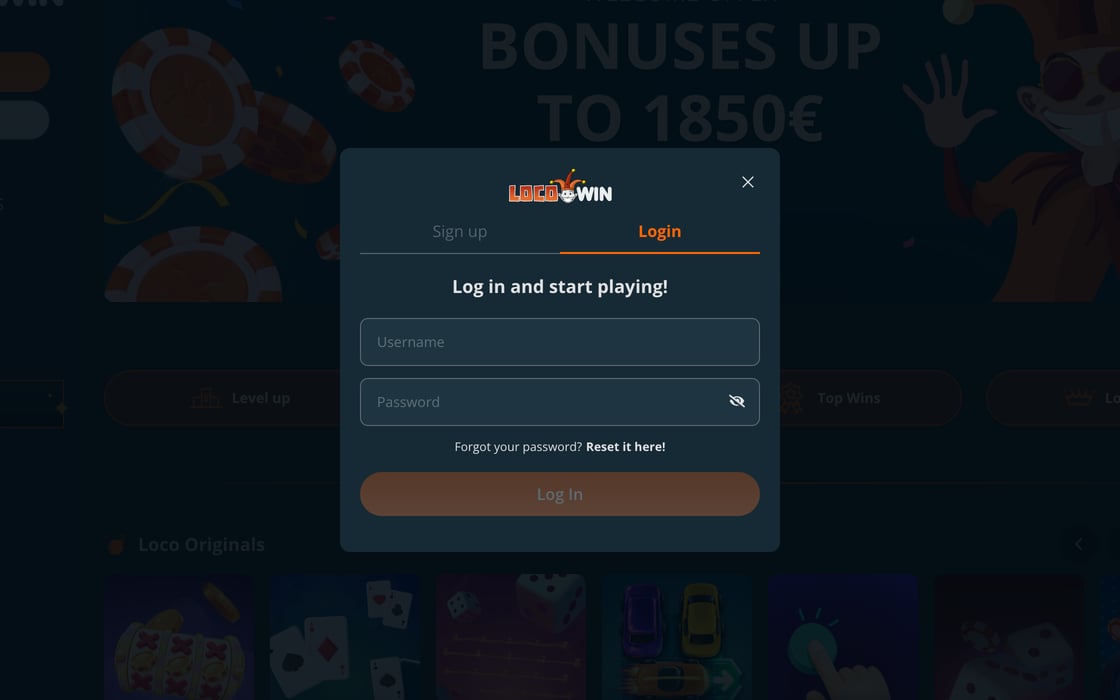
How to Log in to LocoWin
The “Login” window has just 2 fields: the username and password you created when you signed up. Your email is only needed to reset the password.
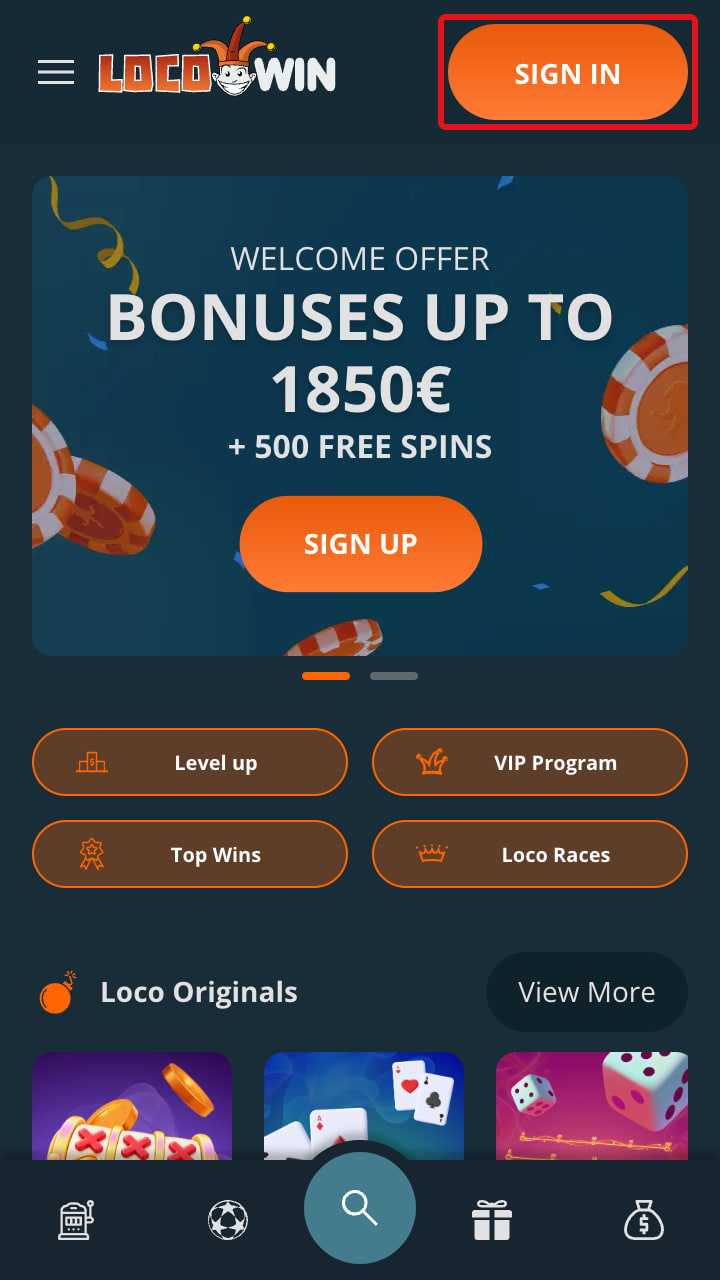 Tap “Sign in”. The button is at the top right of the home page.
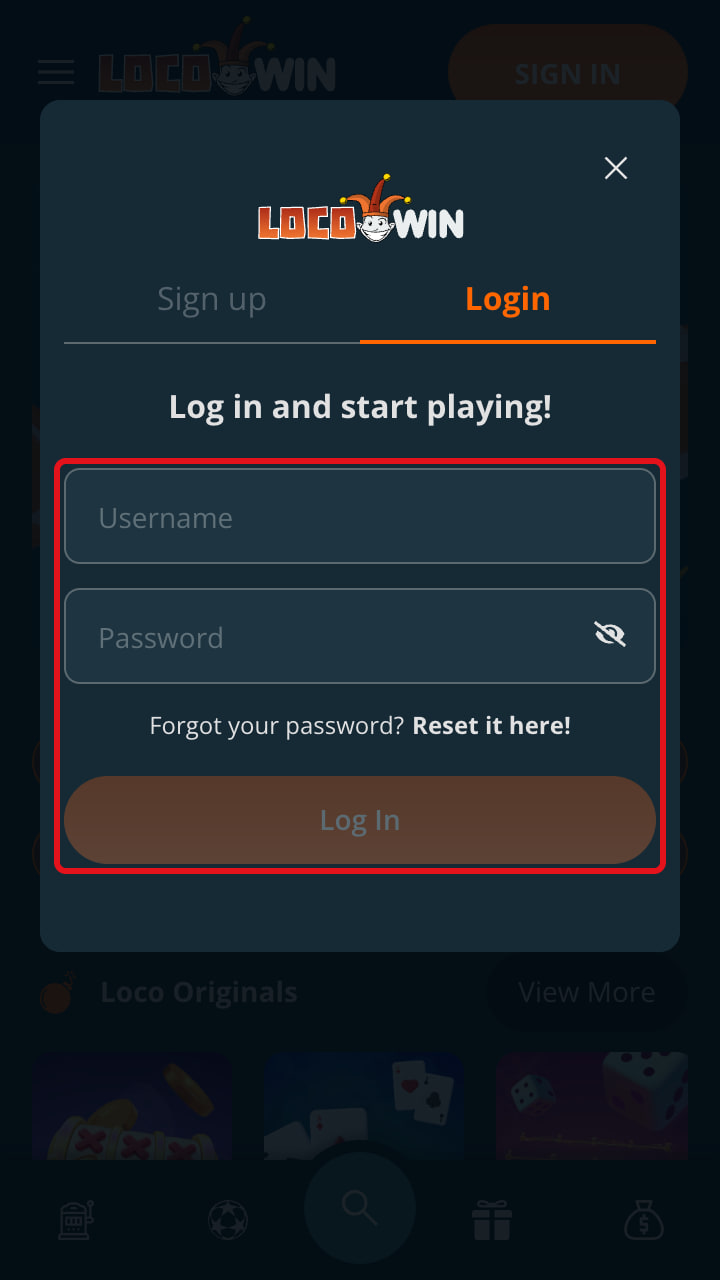 Enter your username and password. The username goes in the first field, exactly as you created it and with no trailing spaces, and the password just below. If you can't remember it, tap “Reset it here!” under the password field rather than guessing.
- Tap “Log In”. Once you're in, the Deposit button appears at the top. The “Sign up” tab in the same window is for players who don't have an account yet.
If you don't have a username yet, LocoWin sign-up is a single form and asks for no documents at the start.
Log in to your LocoWin account Username and password, on mobile or desktop
Log inLogging in on Mobile and Desktop
There's nothing to download: either way you log in from your browser, and your account, balance and active bonuses are the same on every device.
| Aspect | Mobile | Desktop |
|---|---|---|
| Where you log in | Chrome, Safari or another browser | Any up-to-date browser |
| Login button | Top right | In the page header |
| Details | Username + password | Username + password |
| Shortcut | Icon on your home screen | Browser bookmark |
| Watch out for | Auto-capitalisation and autocorrect | Saving your password on a shared computer |
For one-tap access, the LocoWin app is a shortcut to the site: on Android, Chrome's ⋮ menu → “Add to Home screen”; on iPhone, Safari's “Share” → “Add to Home Screen”.
How to Reset Your Password
If you've forgotten your password, don't open a new account: the new password is set up through your sign-up email, so first make sure you can still get into that inbox.
- Tap “Reset it here!”. The link is in the login window, next to “Forgot your password?” under the password field.
- Enter your email. The same one you used in the sign-up form, with no typos or spaces: that's where the instructions are sent.
- Create a new password and log in. Follow the instructions in the email, choose a password you haven't used before and log in with your usual username.
Email not arriving? Check your spam and promotions folders and make sure it's the address you signed up with. If you can no longer access that inbox, get in touch via live chat.
If it's your username you've forgotten, contact LocoWin support on live chat with your name, date of birth and email to hand.
Login Problems: Causes and Fixes
Most login failures have a simple cause and can be fixed without help.
| Problem | Likely cause | Fix |
|---|---|---|
| Password not accepted | A typo, Caps Lock or autocorrect | Type it again carefully; if it still fails, use “Forgot your password?” |
| Username not recognised | You're entering your email or real name | Use the username from your sign-up or ask on live chat |
| You can't play or deposit | An active break or self-exclusion | It lasts for the period you chose; permanent self-exclusion has no end date |
| You opened a second account | Only 1 account per person is allowed | Log in to the original one and let support know |
| The page won't load | Old cache and cookies, a blocker or your connection | Use the buttons on this site, clear your cache or switch browsers |
| Account unused for a long time | Forgotten username or password | Reset your password; if you can't remember your username, ask on live chat |
Not sure whether a break or the 6-month self-exclusion is active on your account? Ask on live chat: both are part of responsible gambling at LocoWin. For any other issue, say what message you see, which device and browser you're using and when it started.
Keeping Your Account Secure
Your connection to LocoWin is protected by 128-bit SSL encryption, but encryption can't protect a weak or shared password.
- A unique password. Long and used only for LocoWin, never reused for your email or other sites.
- A personal account. Don't share your username or password with anyone.
- Shared devices. Log out when you finish and don't let the browser remember your password.
- A protected inbox. Anyone who gets into your email can request a new password for your account.
- A locked phone. PIN, fingerprint or face unlock, especially if the shortcut is on your home screen.
- Your transactions. Check “Transaction History” in the cashier now and then and tell support if anything looks wrong.
Safe Access: How to Avoid Fake Sites
Some sites copy LocoWin's design to steal usernames and passwords, and they usually arrive through links in messages or ads.
- Log in only through the buttons on this site or a bookmark you created yourself.
- Never type your password on pages opened from texts, emails, Telegram, WhatsApp or social media.
- Make sure the address starts with https:// and your browser shows no insecure connection warning.
- Be wary of messages asking you to “activate a bonus” through a link: the LocoWin welcome bonus is selected in the cashier when you deposit.
- Support never needs your password, so don't type it in the chat or send it by email.
Entered your details on a suspicious site? Change your password with “Forgot your password?”, change your email password too if it was the same, and let support know via live chat.
What to Do After Logging in
Once you're in, almost everything is handled in the cashier, with its Personal Info, Deposit, Withdraw, Balances, Transaction History and Bonuses tabs.
Deposit
From €10, depending on the method, with no fees: card, bank transfer, e-wallet or crypto.
Choose Your Bonus
5 bonuses for your first 5 deposits, from €20 and with 36x wagering.
Verify Your Account
An ID document, photos of your card and a bill issued within the last 2 months.
Withdraw
SEPA, Instant Bank Transfer or crypto, from €30 by bank transfer in the EU (€250 outside it), processed within 2 business days.
When you make your first deposit at LocoWin, tick the first of the 5 casino bonuses under “Select your bonus”: together they add up to €1,850 + 500 free spins. If you're here for sports betting, choose the free bet of up to €100 instead, as the two offers can't be combined.
Up to €1,850 + 500 free spins You choose the bonus in the cashier when you deposit
Get the bonusFrequently Asked Questions About Logging in
How do I log in to my LocoWin account?
Tap “Sign in” at the top right, enter your username and password and confirm with “Log In”. It works the same way on mobile and desktop.
Do I log in with my email or my username?
With the username you chose when you signed up. Your email is used to reset your password.
What should I do if I've forgotten my password?
Tap “Forgot your password?”, enter your sign-up email and follow the instructions in the message. If it doesn't arrive, check your spam folder.
Why can't I log in?
Usually it's a mistyped password, your email entered instead of your username, an active break or self-exclusion, or a browser glitch. Clear your cache or try another browser; if nothing changes, contact support via live chat.
How do I log in on my phone?
Open LocoWin in your phone's browser and tap “Sign in”. There's nothing to download, and you can add a shortcut to your home screen.
What if I think someone has got into my account?
Request a new password with “Forgot your password?”, change your email password too and let support know via live chat. Check “Transaction History” for any activity you don't recognise.